Stop watching bug videos. Replay them.
October 17, 2026 · 5 min read
Most bug reports today come with a video. That's better than a sentence like “checkout is broken”, but anyone who fixes bugs knows the routine: open the ticket, scrub through four minutes of someone else's screen, pause on the one frame that matters, squint at the URL, then try to do it all again by hand. Half the time it doesn't happen on your machine and the ticket goes back with can't reproduce.
A video is evidence. A replay is the bug.
A video shows what happened once, on someone else's computer. What a developer actually needs is to make it happen again, on theirs, with DevTools open. That's what Bug Report does. While QA tests, the extension records every click, typed value, choice, drag, upload and page change, with the elements they happened on. When a developer opens the bug and presses Replay in my browser, those steps run again, live, in their own Chrome.
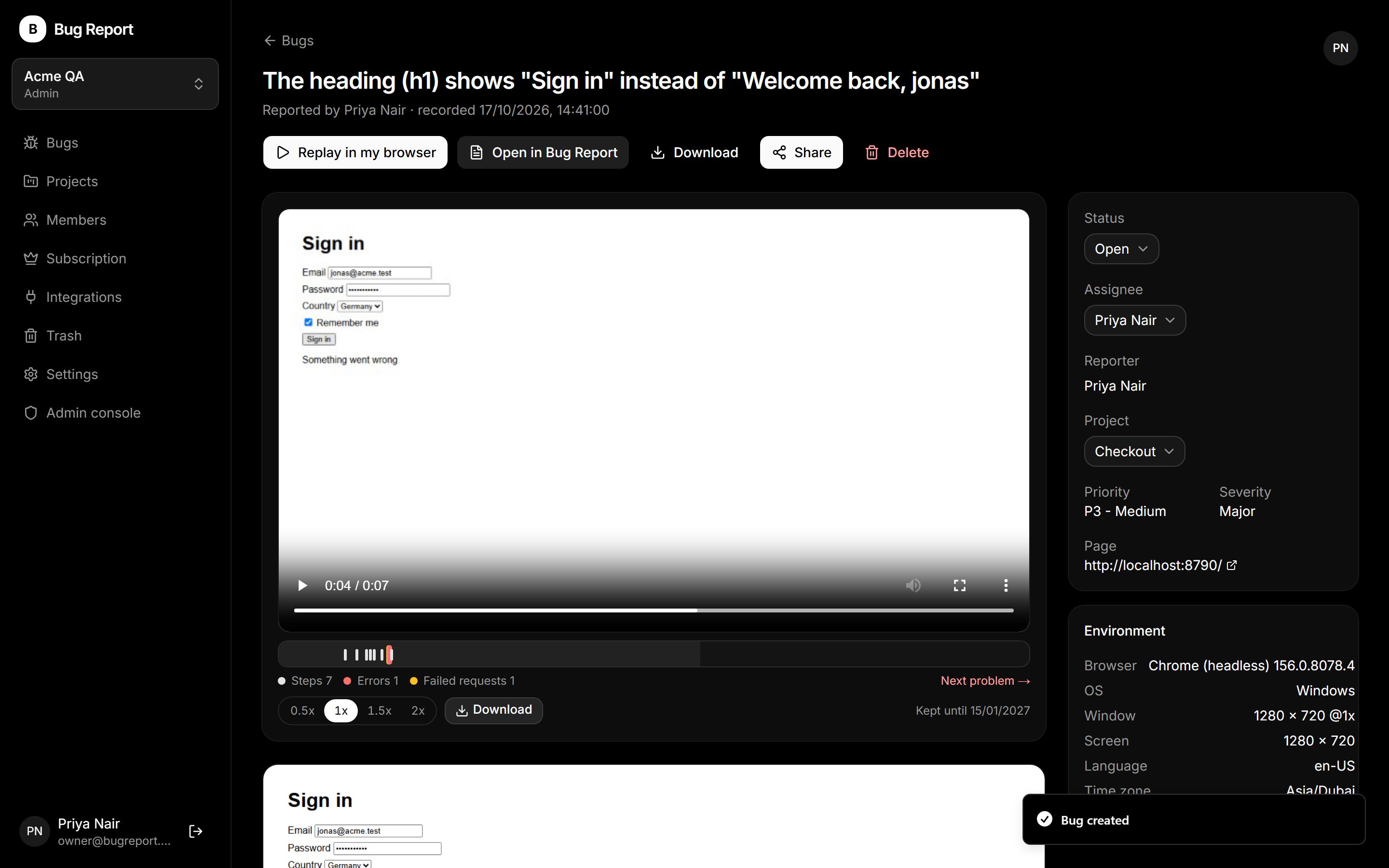
It's not a video of the replay. It's the real site, doing the real thing. Pause it before the step that breaks. Step back. Go forward one step at a time. Slow it to half speed. Open the network panel and watch the request fail.
“Is it still broken?” gets an answer
While recording, QA can add checks: this heading should say “Welcome back”, this total should be 74, this row should exist. And on the report they mark which failed request or console error is the bug. When the replay finishes it answers: Reproduced, Not reproduced or Inconclusive. After a fix, replay the bug again and you know it's gone, without asking QA to retest.
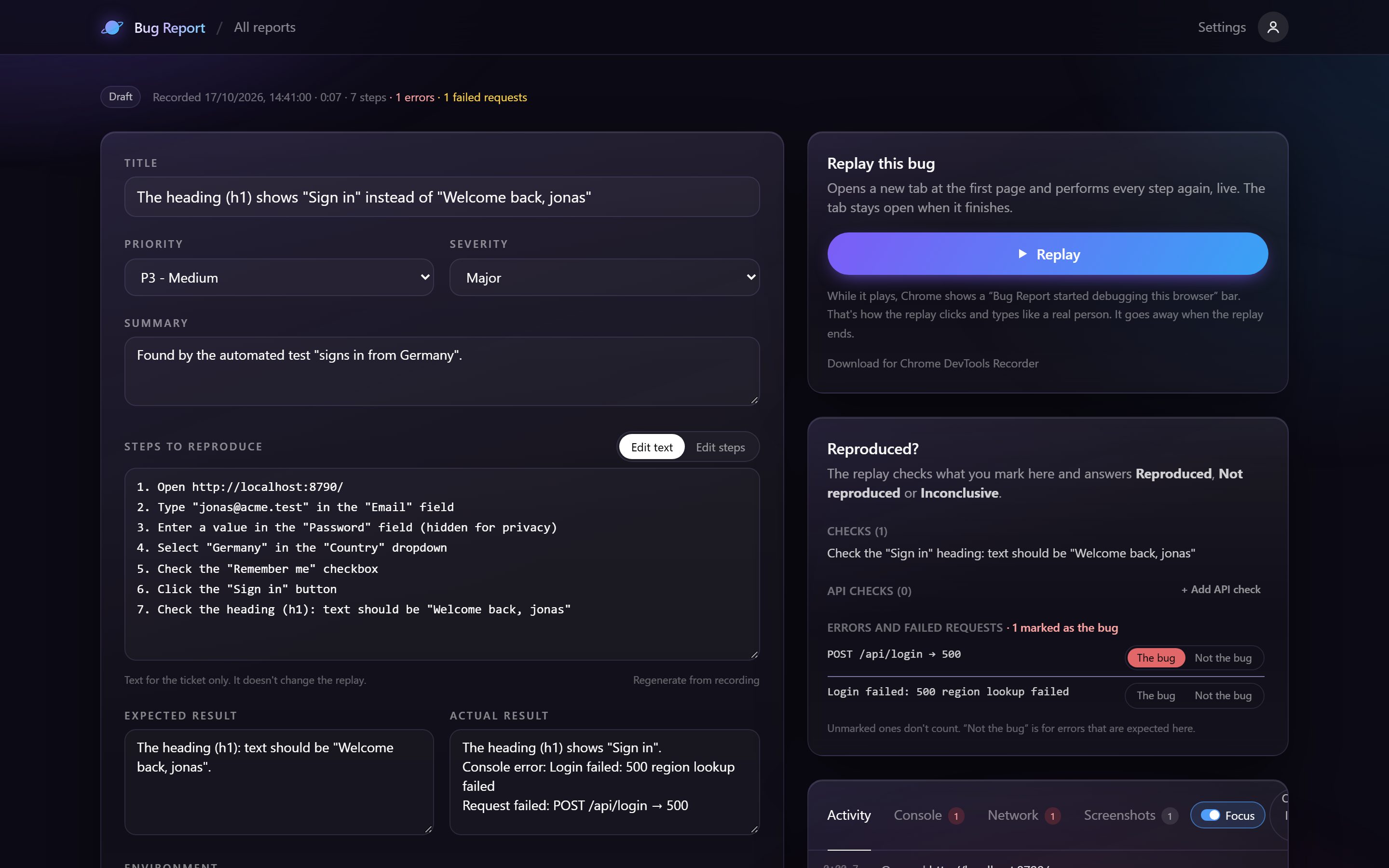
Everything a developer would ask for, already there
- Steps to reproduce and the actual result, written from what QA did (QA adds what should have happened)
- Console messages and JavaScript errors with their source line
- Network requests with headers and request / response bodies, like DevTools
- Browser, OS, window size, language and time zone
- Screenshots, and a video with voice on Pro, with a timeline of every step and error
Passwords, card numbers and tokens are never saved, and private details can be blurred before anything leaves the browser.
When a video is still the right tool
Visual glitches, animations and “it feels slow” are easier to show than to replay, so Bug Report keeps the video too, and its timeline jumps straight to each step. But for the bugs that end in a ping-pong of “can't reproduce”, give the developer the bug itself.
Try Bug Report free: screenshots, step recordings, live replay and a workspace for three people cost nothing.