Turn failed Playwright tests into bug reports developers can replay
October 17, 2026 · 6 min read
A red test in CI is the start of a long morning. Someone opens the HTML report, reads the error, downloads the trace, works out whether it's the app or the test, then writes a ticket by hand, copying the steps out of the code. The developer who gets the ticket starts from zero again.
@bugreport/playwright takes that morning away. It's a Playwright reporter: a full test report, plus a bug report for every failed test that one click puts on your team's dashboard, where the developer replays it in their own browser.
1. Install and wrap your config
npm i -D @bugreport/playwright// playwright.config.ts
import { defineConfig } from "@playwright/test";
import { withBugReport } from "@bugreport/playwright";
export default withBugReport(defineConfig({
// your config, unchanged
}));withBugReport adds the reporter next to yours and keeps a trace, a video and a screenshot of failed tests only, so passing tests cost nothing. Run your tests as usual, then open the report:
npx playwright test
npx bugreport-playwright show-report
2. Read the run
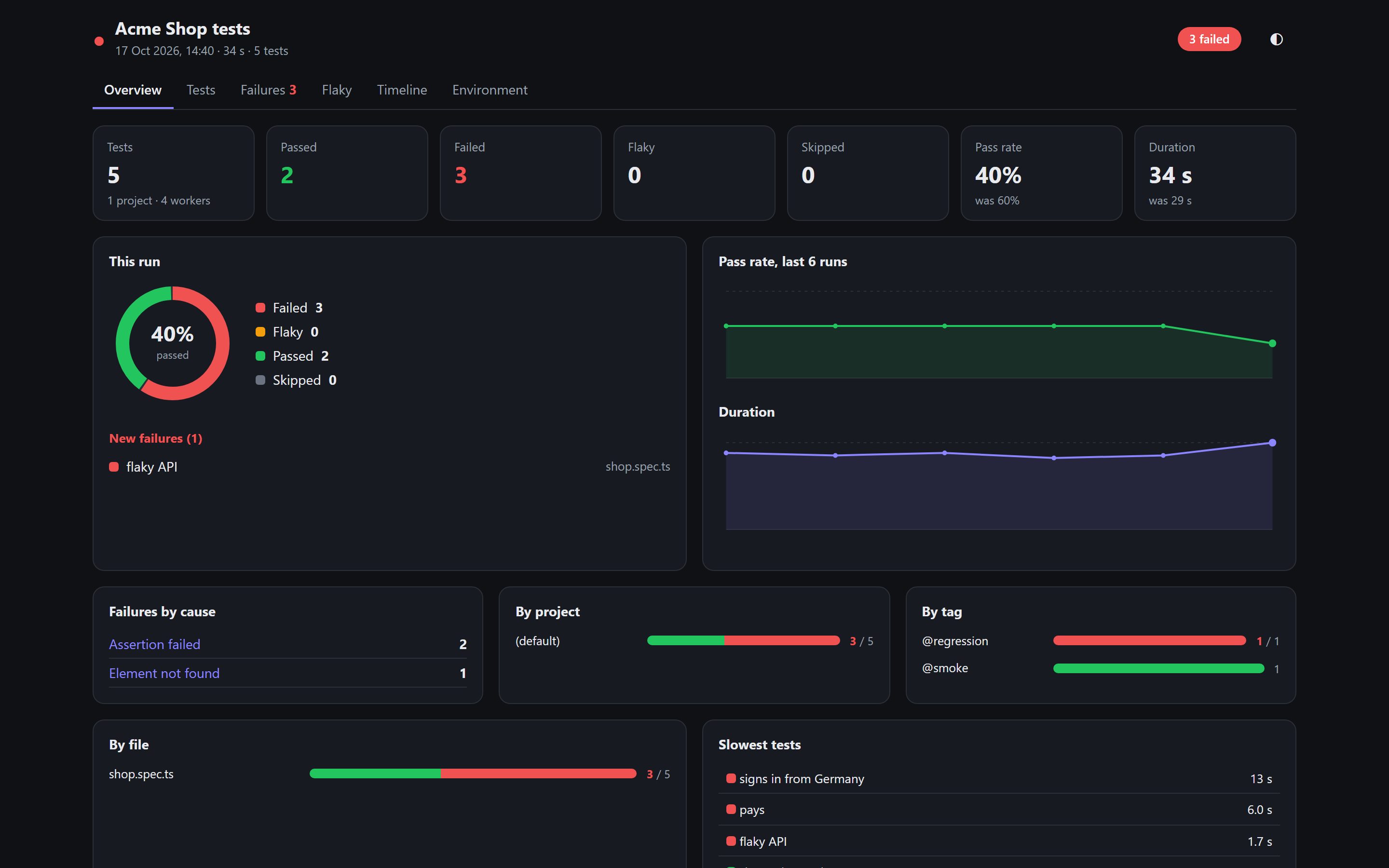
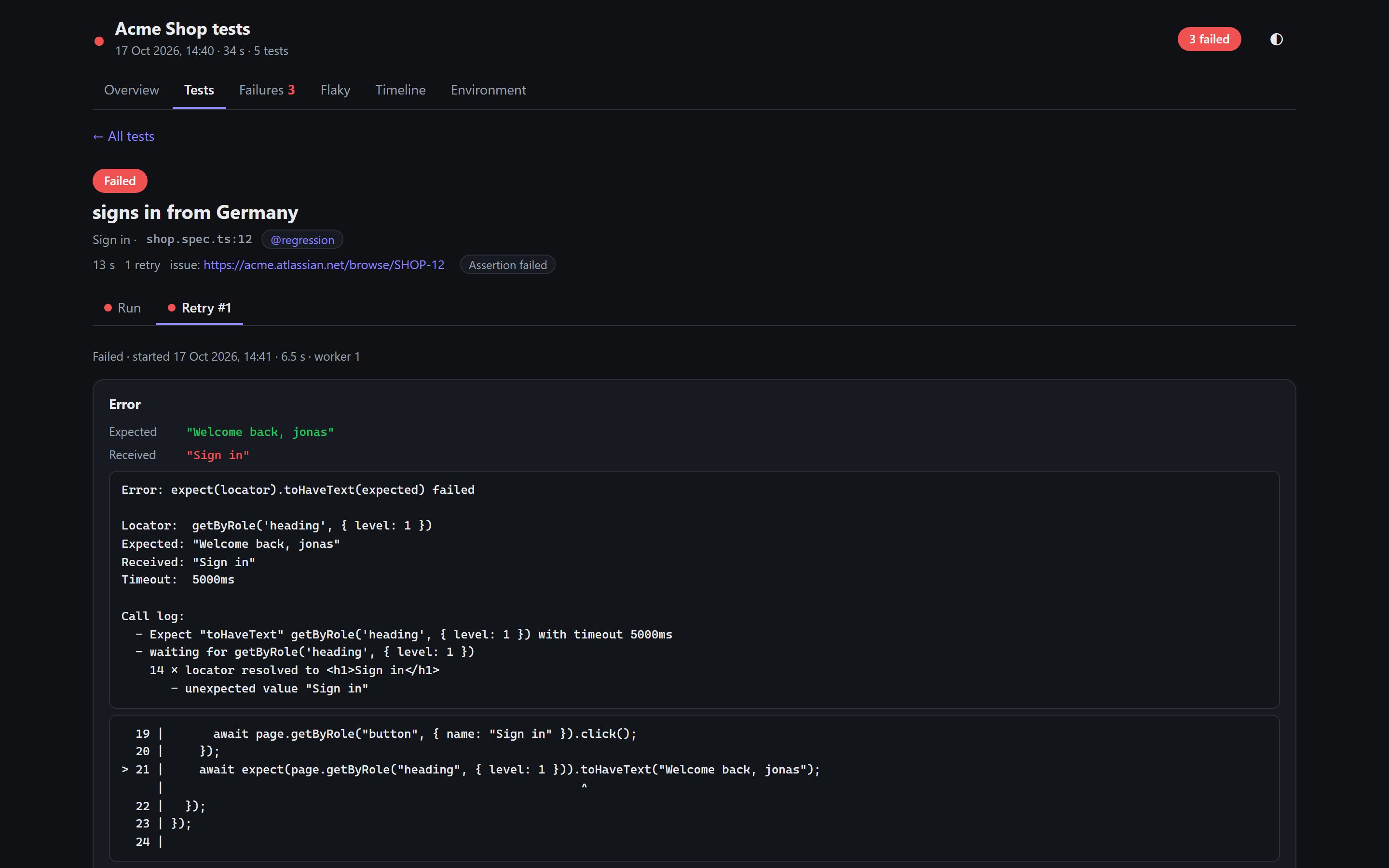
Everything Playwright's own report shows is there: every try, the steps with their locators and code lines, the error with expected and received, screenshots, the video and Playwright's trace viewer. On top: trends over your last 30 runs, flaky tests (passed on a retry, or flipping between runs), failures grouped by cause, labels such as severity and owner, and a timeline of what each worker ran. Keep the bugreport-history folder between runs (in CI, cache it) and the trends fill in.
3. The failure is already a bug report
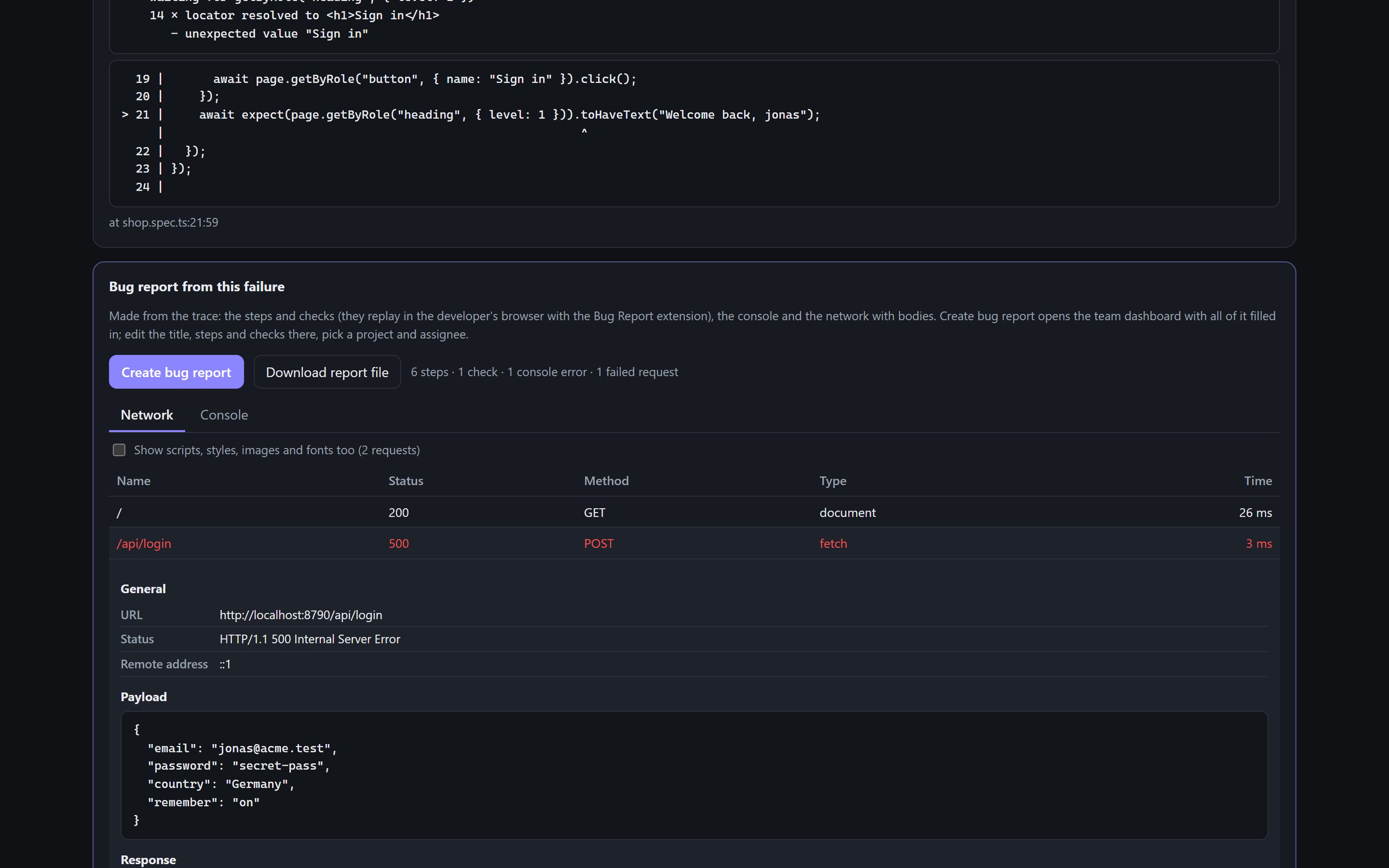
Under each failed test sits a bug report the reporter wrote from the trace:
- Steps in plain words (“Select ‘Germany’ in the Country dropdown”), with your locators turned into selectors the replay can find
- Checks from your expects: the one that failed is the bug; the ones that passed must stay true
- The page's console and network, with request and response bodies
- The screenshot, the video and the browser; typed passwords hidden
4. Create bug report
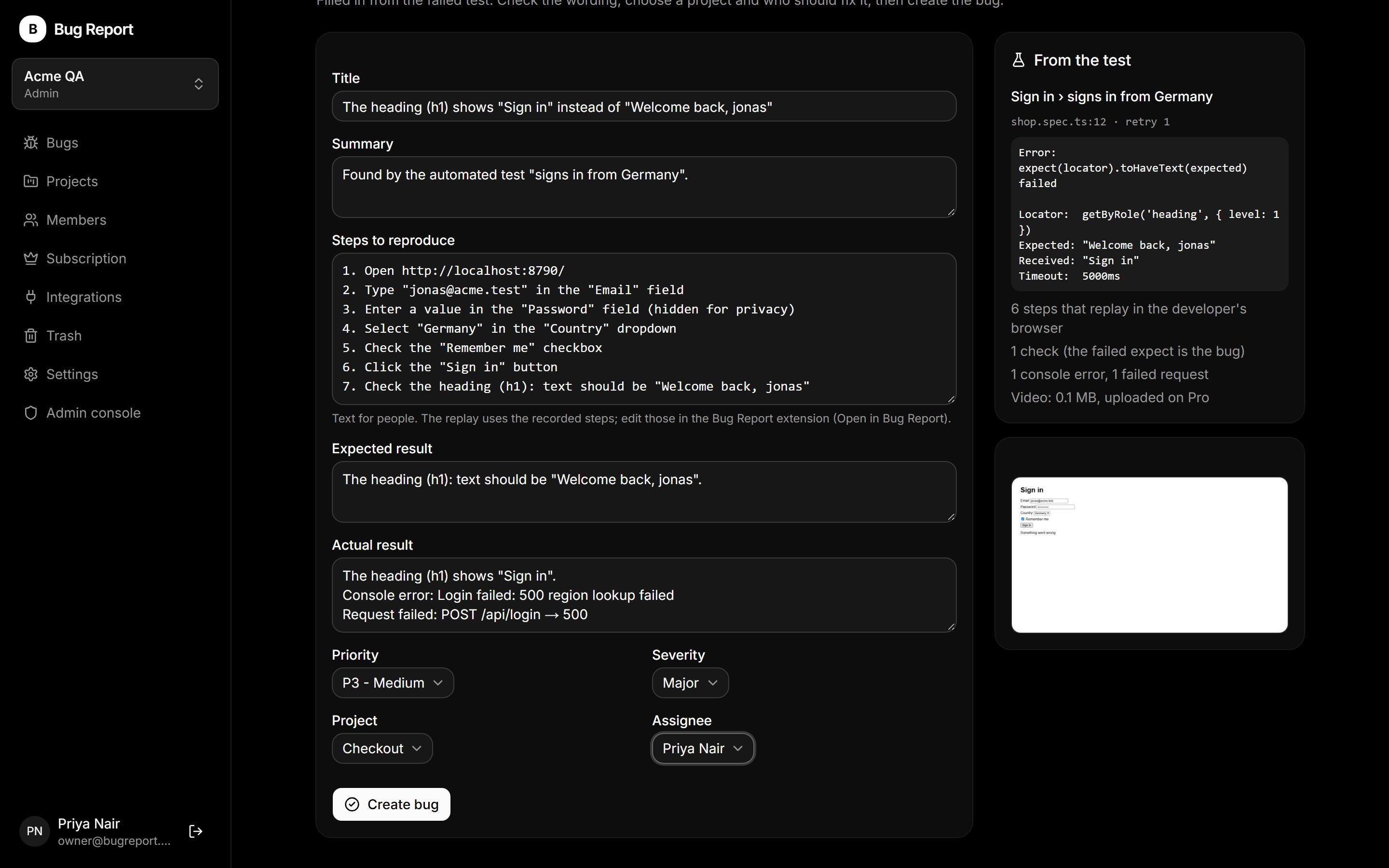
Press Create bug report. Your Bug Report dashboard opens in a new tab with the title, steps, expected and actual result already written, for example: The heading shows “Sign in” instead of “Welcome back, jonas”. Fix the wording if you like, pick a project and an assignee, and create it. On Pro the test's video goes with it.
5. The developer replays it
The developer opens the bug and presses Replay in my browser. The failed test's steps run again in their Chrome, live, with the check that failed highlighted, and the replay ends with Reproduced or Not reproduced. No CI logs, no copying steps out of a test file.
Good to know
- Free and open source (MIT). Nothing leaves your machine until you create a bug.
- Replays need the same kind of test data and login the test had.
- Custom code (page.evaluate, API calls) shows in the report but isn't a replay step.
Get it on npm, and see everything it does.