Your failed tests,
as bugs developers can replay.
@bugreport/playwright is a test report with everything Playwright's has, plus the trends, flaky tests and failure categories teams add Allure for. And every failed test becomes a bug report, with a Replay button in the developer's browser. Free and open source (MIT).
Keep your config. Wrap it.
The reporter runs next to the ones you already use. It keeps a trace, a video and a screenshot of failed tests only, unless you keep more already. Then open the report with traces and video:
npm i -D @bugreport/playwright// playwright.config.ts
import { defineConfig } from "@playwright/test";
import { withBugReport } from "@bugreport/playwright";
export default withBugReport(defineConfig({
// your config as it is
}));npx playwright test
npx bugreport-playwright show-reportBuilt for the people who read it every morning.
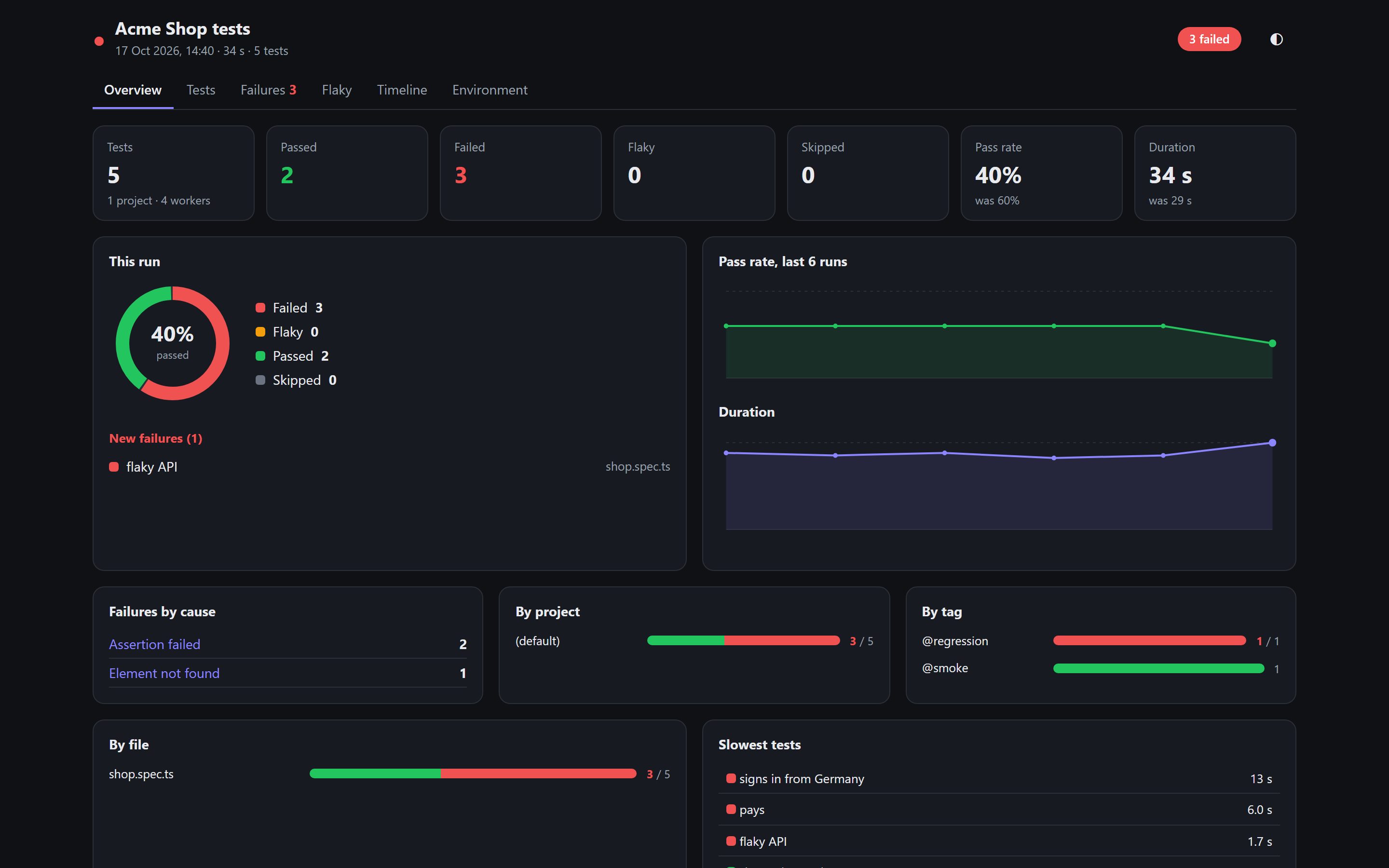
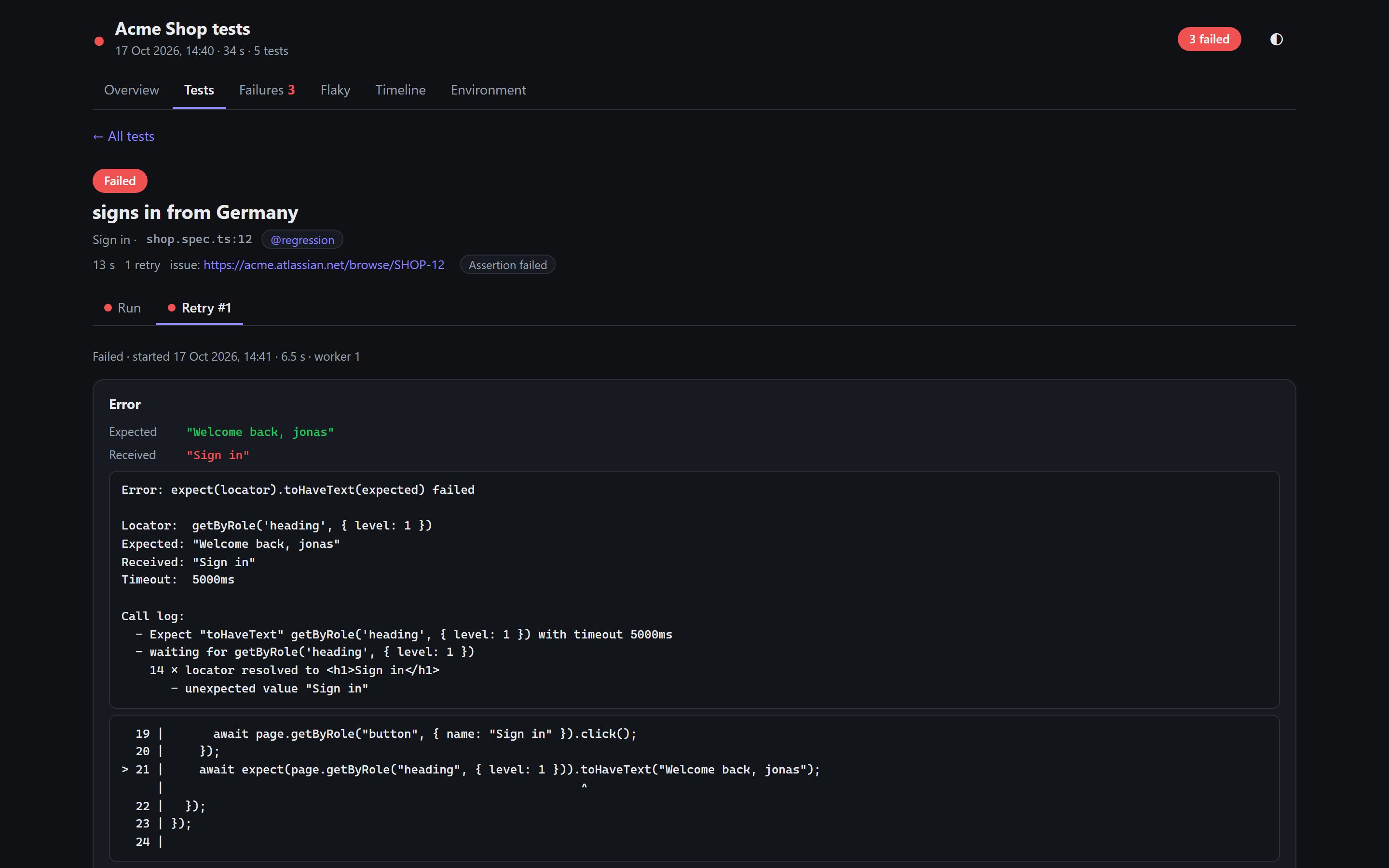
Everything Playwright's report has
Every try, steps with locators and code lines, errors with expected / received and the code around them, screenshots, video at 0.5x–2x, and Playwright's own trace viewer.
Trends and flaky tests
Pass rate and duration over your last 30 runs, tests that pass on retry or flip between runs, new failures and tests fixed since last time.
Failures grouped by cause
Assertion failed, element not found, timed out, site unreachable, test error: the same failure in ten tests shows once.
Dashboard and timeline
Results by project, tag and file, the slowest tests, what each worker ran and when, labels like severity and owner, CI branch, commit and run link.
From red test to replayable bug in one click.
The test fails
Playwright keeps the trace, video and screenshot of failed tests only (passing tests cost nothing).
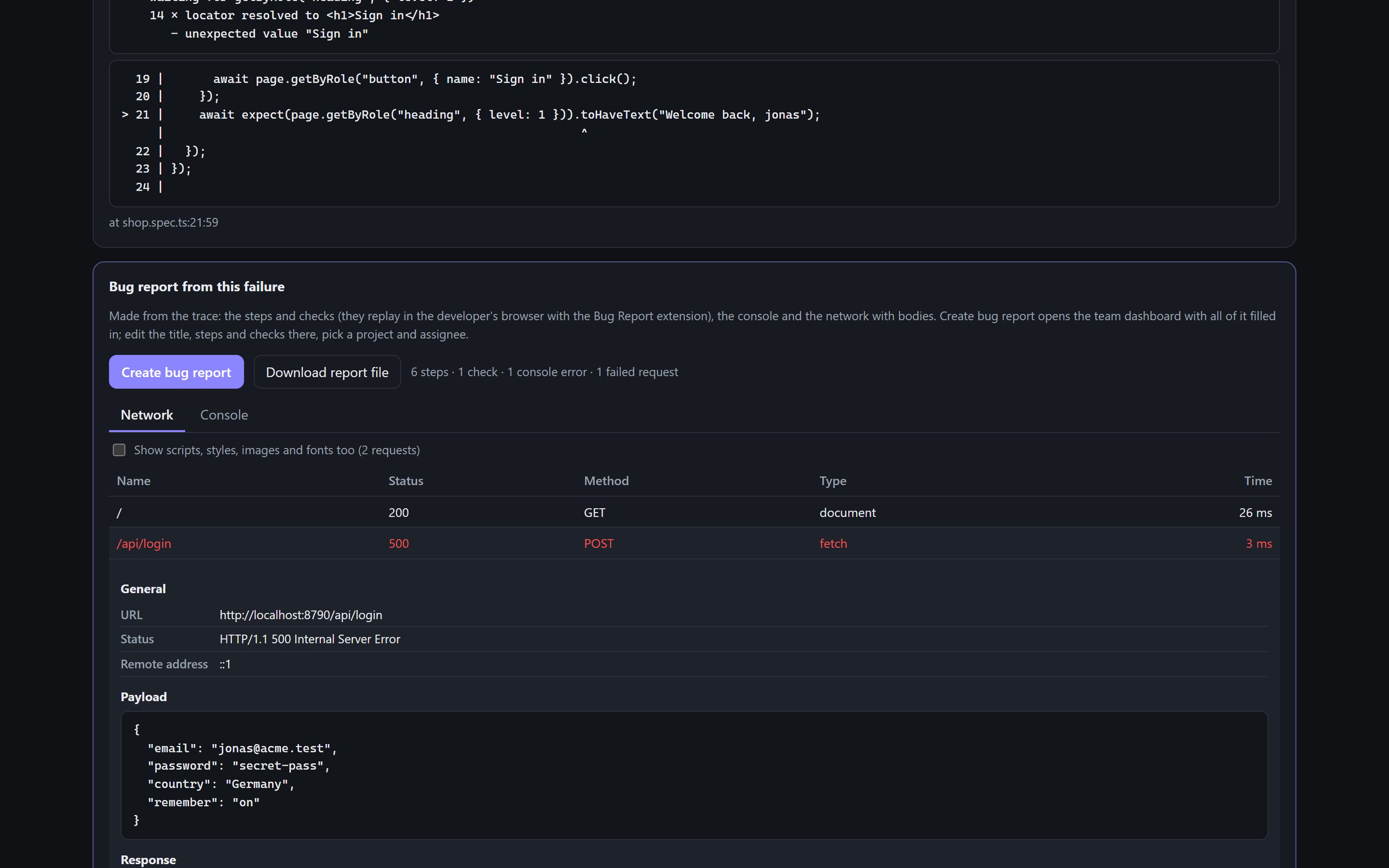
We write the bug
From the trace: the test's steps in plain words, your expects as checks (the failed one is the bug), console errors, network with bodies, the browser.
Create bug report
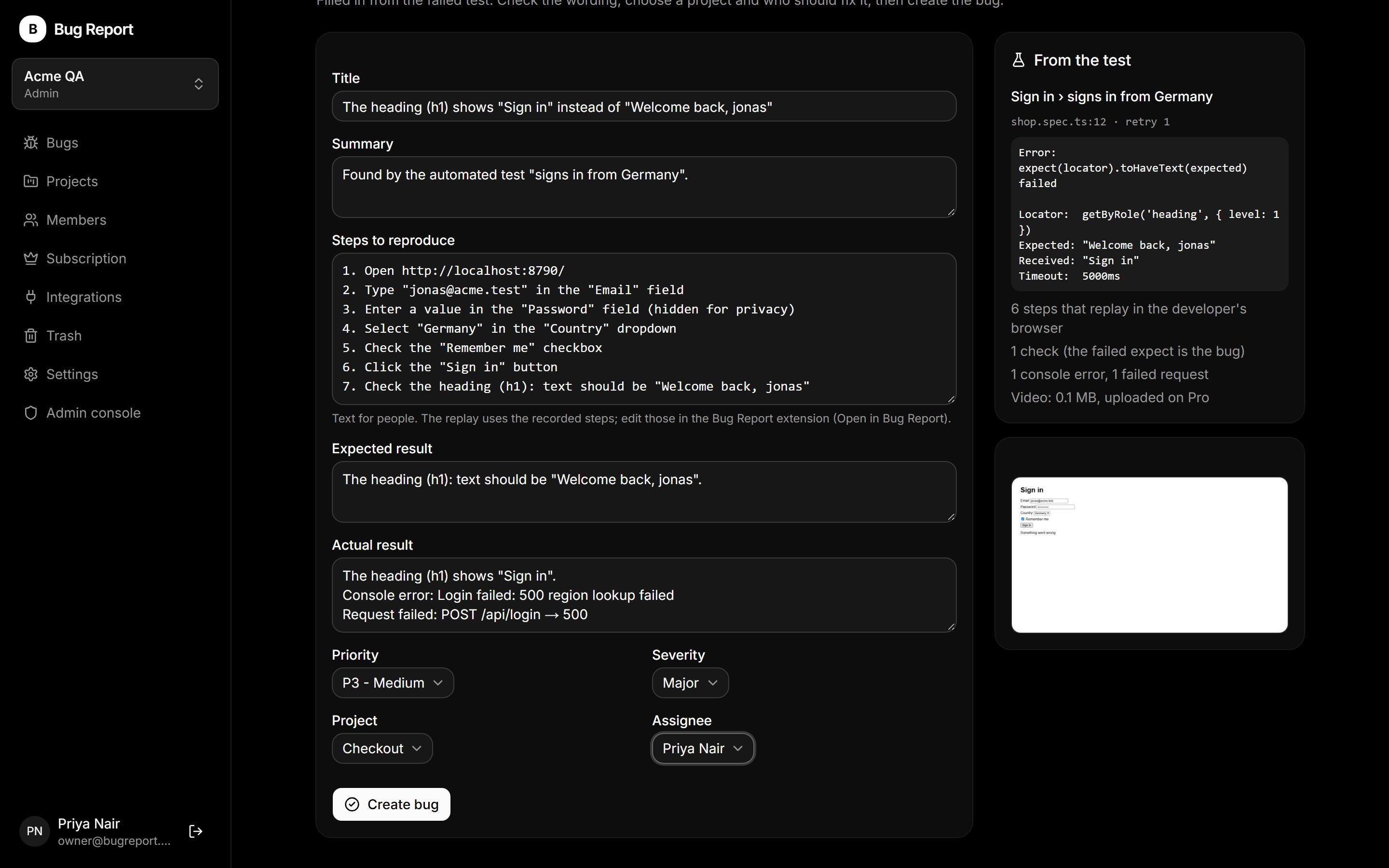
One click opens your Bug Report dashboard with everything filled in. Edit the wording, pick a project and an assignee, create.
The developer replays it
Replay in my browser runs the failed test's steps live in their Chrome and says whether the bug is still there.
Free and open source
MIT license. Creating bugs on the dashboard is free; uploading the video follows your workspace's plan (Pro).
Nothing leaves your machine
The report and its history are files next to your config. Only a bug you create goes to your workspace.
Honest limits
Replays need the same test data and login. Custom code (page.evaluate, API calls) stays in the report but isn't a replay step.
Stop watching bugs.
Start replaying them.
We're onboarding QA teams for the beta now. Tell us about yours and we'll get you set up.